# Growth | Sending members weekly newsletter
**URL:** https://community.pickaxe.co/t/growth-sending-members-weekly-newsletter/2099
**Category:** General
**Created:** [October 15, 2024, 4:38pm UTC](https://community.pickaxe.co/t/growth-sending-members-weekly-newsletter/2099 "2024-10-15T16:38:25Z")
**Posts on this page:** 4
**Page:** 1
### Author:  [@recruiterlarry](https://community.pickaxe.co/u/recruiterlarry)
#### Post date: [October 15, 2024, 4:38pm UTC](https://community.pickaxe.co/t/growth-sending-members-weekly-newsletter/2099/1 "2024-10-15T16:38:25Z")
I’m thrilled with all the new “action” features and will start investing marketing time and money to grow one of my studios.
Q: How do you add users and members to a newsletter?
It’s a no-brainer to try and convert free members into paid members by send “Tips and Tricks” newsletters. What is the best way?
---
### Author:  [@admin\_mike](https://community.pickaxe.co/u/admin_mike)
#### Post date: [October 15, 2024, 10:02pm UTC](https://community.pickaxe.co/t/growth-sending-members-weekly-newsletter/2099/2 "2024-10-15T22:02:07Z")
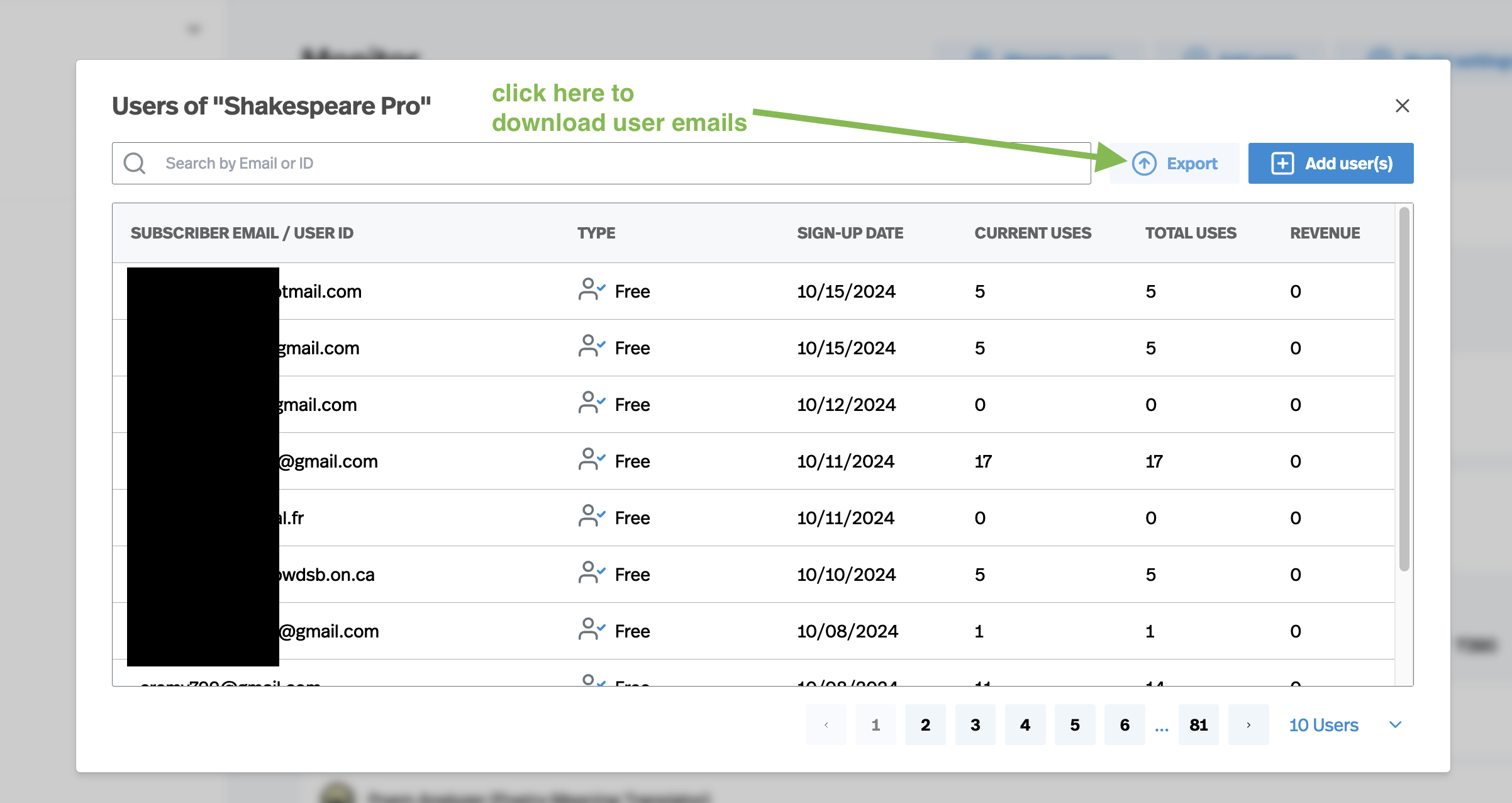
You can export all the users of your studio. Here’s a step-by-step process:
- In the Studio Manager, click on the **Monitor** tab.
- Click on the **Manage Users** button
- Click on **Export**

.
.
---
### Author:  [@recruiterlarry](https://community.pickaxe.co/u/recruiterlarry)
#### Post date: [October 17, 2024, 3:29pm UTC](https://community.pickaxe.co/t/growth-sending-members-weekly-newsletter/2099/3 "2024-10-17T15:29:29Z")
Thanks for sharing. I will try this until we can get a zapier connection for this to connect to newsletters.
---
### Author:  [@tinkiygr](https://community.pickaxe.co/u/tinkiygr)
#### Post date: [May 7, 2025, 11:35am UTC](https://community.pickaxe.co/t/growth-sending-members-weekly-newsletter/2099/4 "2025-05-07T11:35:12Z")
Hi,
I tried but it downloads only a few at a time. How to download all at once?
Thank you,