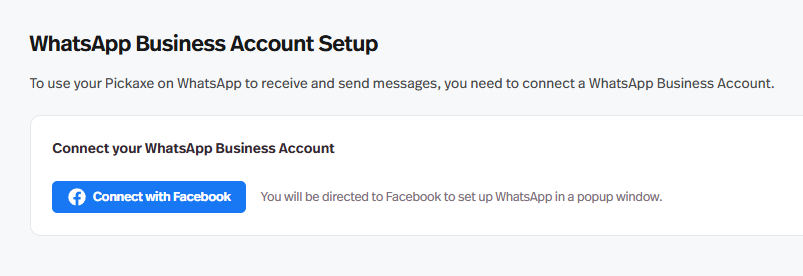
Next, you’ll need to connect a WhatsApp Business Account. Click Connect with Facebook to begin the setup, and a pop-up window will appear to guide you through each step.
Next, click Finish and wait while WhatsApp reviews your business to ensure it meets the WhatsApp Commerce Policy requirements. The review process may take some time, although for me it only took a couple of minutes.
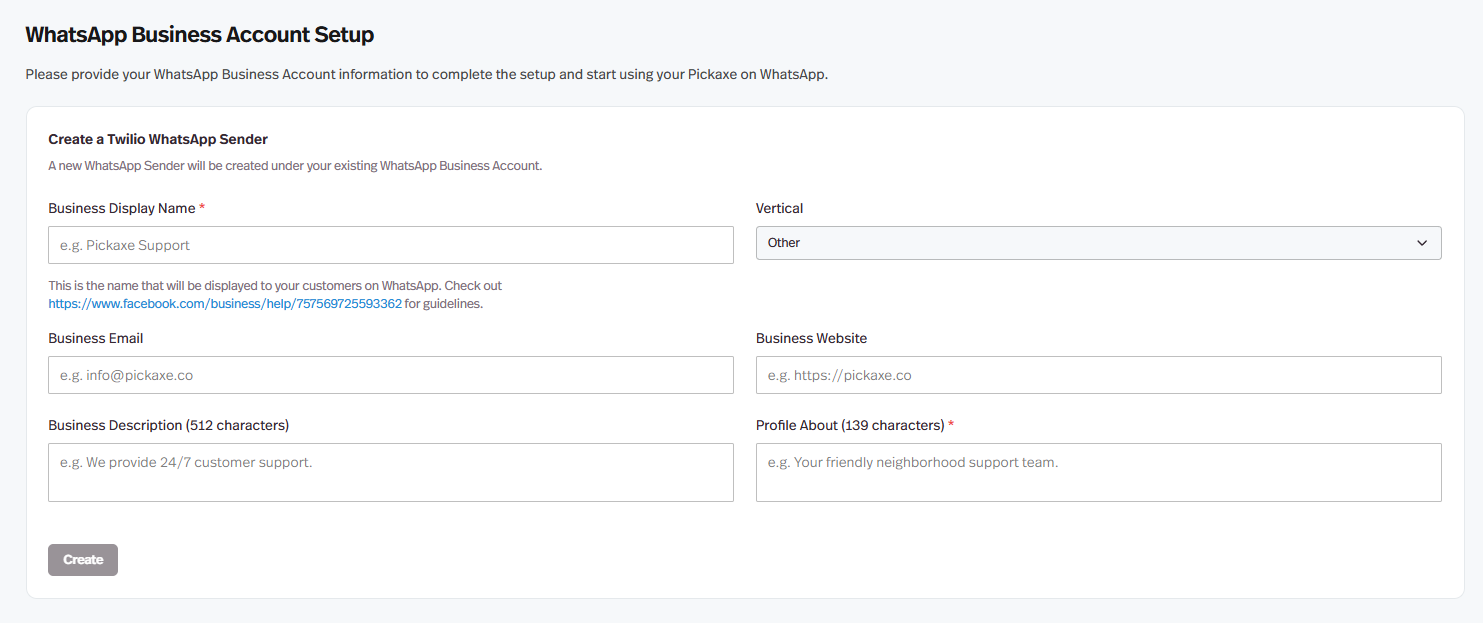
Once approved, choose your phone number’s country and fill out the information to create a Twilio WhatsApp Sender.
That’s it! You should now see your WhatsApp phone number displayed. You can copy it as needed, and use the Access tab on the left to manage usage limits and customize the upgrade message.
Congratulations! Your Pickaxe is now live on WhatsApp!
We’re looking forward to seeing what you create with this new feature and hearing your feedback!
Hello!
I’m really interested in this, but the doorman doesnt seem to know anything about it. Can you let me know a bit about how it works in regards to paid access? If I want to charge users per interaction, is that possible? Can that be managed from whatsapp or do users need to make an account first? Can users buy products from within the app? It has a guest usage number, is that a total lifetime number based on the phone number? It’s hard to investigate and test as pretty early it asks to connect to a WA for business, and that’s only really worth setting up if this is a useful tool.
Everything works the same with WhatsApp. The only difference is that users message your WhatsApp number instead of using the Pickaxe chat window. The credit system, paywalls, and limits all work exactly the same way.
All payments, products, and usage management still happen in your Pickaxe Studio. WhatsApp is simply the front end, while Pickaxe handles everything in the background.
Anything you can do within a Pickaxe chatbot is also possible through the WhatsApp integration.
It works just like chatting with anyone on WhatsApp. You open a conversation and start sending messages. Behind the scenes, it is still your Pickaxe chatbot doing all the work.
So while it looks and feels like a normal WhatsApp chat, the responses and behavior come directly from your Pickaxe setup.
I guess I need a separate sim and number to make this work. It’s very cool but similar to the email solution where are we able to charge for use etc or log them in?
You can use your existing number or get a new one if you prefer. You may not need a new SIM if you plan to use your current number. Pickaxe just needs a number that can be linked as the front end on WhatsApp.
Everything still runs through your Pickaxe setup, so you can track usage, manage users, and charge through your Studio as usual. It’s very intuitive once you start using it.
This cannot be configured with a regular WhatsApp or regular WhatsApp business account right ? We are talking about configuring the through official whatsApp API via Twilio right ?
Hi, I’m not fully clear yet on which part of the Meta setup is getting stuck, but I’m happy to walk through it with you on a quick call and help get everything connected. Please email at info@pickaxe.co and we’ll take it from there.
So how can I use this under a paid plan, because a user could technically just forward the number to a friend and then and then the friend gets pretty much free access to this, so that means I have to limit guest access.But if I do that, how is the Whatsapp number of the user connected to the account in Pickaxe, so that the Pickaxe actually knows that this user (Number 1) has the paid plan and can ask unlimited questions at Whatsapp? The other number (NUmber 2 - number 1s friend) does not have a paid plan, so it’s on the guest access and get´s prompted to an upgrade page when reaching the limit?




 Nice one Pickaxe team!! To the moon!!

