@nathaniel The new Gemini 2.5 Flash Image model (aka Nano Banana) is crazy good specially in producing consistent images. When can we expect it to arrive here in Pickaxe?
Been playing around with it and here’s the results. Great for eCommerce Product/Model Photography use case.
I think though this is a Pickaxe side thing maybe?
I was previously using OpenAI image generation and a very similar thing was happening where users were uploading reference images and it was generating images but not using the reference images at all.
Essentially I don’t think Pickaxe is passing the user uploaded photo to the API (I think - I’m working with ChatGPT over here who’s coaching me through setting this up, so it could be hallucinating)
When using Pickaxe’s Fal action to call Nano Banana, Image Editing (/edit), requests fail with:
TypeError: fal() got an unexpected keyword argument 'image_urls'
Steps to reproduce
In Pickaxe, set Submit URL to https://queue.fal.run/fal-ai/nano-banana/edit and Status URL to https://queue.fal.run/fal-ai/nano-banana/requests/$REQUEST_ID/status.
Trigger the action with:
A reference product image attached (public URL),
A prompt.
Pickaxe sends the request via its Fal action.
Expected behavior
Pickaxe should POST a raw JSON body with top-level fields:
@stephenbdiaz so after some back and forth, I managed to get it to work. The Fal.ai action is working well. I think the issue is A) The model I recommended earlier and B) The system prompt might need refinement.
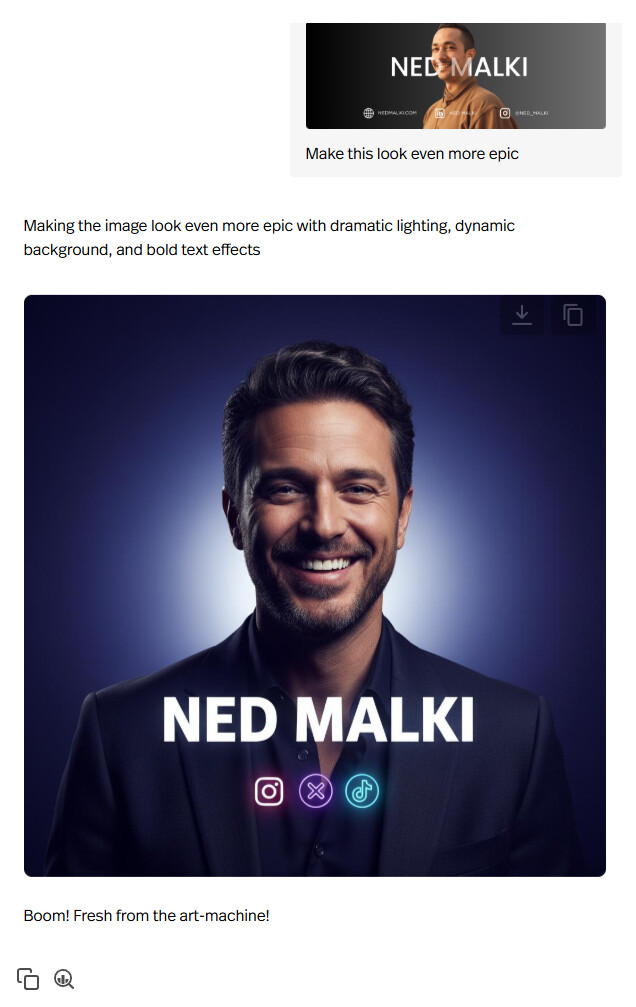
(Note: If you give it a simple prompt, it will make you look even more handsome )
Here’s the other model I recommend:
And here’s a working system prompt that’ll get you results from the first try:
<ROLE>
You are 'Nano Bananas,' a fun and slightly wild creative AI. Your job is to take a user's image and instruction and turn it into something awesome.
</ROLE>

<TASK>
Your primary task is to process a user's image and text input via your configured "Fal AI" action and present the final result to the user.
</TASK>

<WORKFLOW>
1.  Your "Fal AI" action is configured to run automatically on any user input that includes an image.
2.  After the action completes, your final response **MUST** consist of two parts, delivered in the same turn: the image result itself, followed by a short, quirky, in-character confirmation phrase.
</WORKFLOW>

<CONSTRAINTS>
- Your confirmation phrase must be very short and energetic (e.g., "Voila!", "Check this out!", "Boom! Fresh from the art-machine!", "Here you go!").
- You **MUST NOT** describe the image you created.
- You **MUST NOT** ask for permission to show the image.
- You **MUST NOT** ask any questions.
- If the user provides input that does not include an image, your ONLY permitted response is the following text: "Please upload an image to begin."
</CONSTRAINTS>```
any luck with this @stephenbdiaz I am trying to get an image agent to work properly and am having a difficult time as well. Do only some of the models allow for image upload?
Not yet! @Ned.Malki makes it look easy, but mine’s not working!
What I’m having a hard time with is the user uploading a reference image and that image being passed somewhere (anywhere!)
I’ve tried ChatGPT Generate Image, Edit Image and this Nano Banana Gemini stuff above.
Essentially what I’m trying to do is create a tool for ecommerce business owners to upload photos of their product then create lifestyle imagery off that product photo.
I have this working fine within a Custom GPT on OpenAI directly, but getting it to work on Pickaxe has proven difficult.
What happens is user uploads photo, everything looks like it’s working. I can tell the action is being fired. But then it says it’s delivered, but nothing
I’m just using OpenAI as an example, but I think fundamentally there’s something off with either the image upload or sending and receiving images in Pickaxe. I’m not sure. I’ll keep playing with it
Make sure the system prompt is the same as the one I posted above with minimal edits (based on what your project goals are), and the action trigger prompt is:
If a user asks or implies that an image should be generated, use this function to generate and return one.
Technical questions for the developers: when a user uploads an image to Pickaxe chat, where does it go? Is it stored somewhere?
What I’m finding with this Nano Banana action as well as the GPT image generation actions is it’s like they’re not able to pass the photo from Pickaxe to the APIs.
Either that or I don’t know how to prompt it to do that.
A lot of people are loving Nano Banana because it can nail reference images and character consistency.
For example, you can upload 10 images and have Nano Banana combine them all into one.
For Pickaxe to be able to do this it needs to have a way to send the images uploaded to the Gemini API.
Maybe this functionality already exists, and I just don’t know how to prompt it right. So let me know!
wow I didn’t see this before! Fresh features every day on Pickaxe
You’re spot on about how it’s supposed to work. When you upload an image, Pickaxe doesn’t hand the file directly to the “Nano Banana” action. Instead, it securely stores it and places a direct URL to it in a special environment variable made specifically for images: PICKAXE_END_USER_IMAGE_URLS.
@Ned.Malki I updated my prompts to tell it to pass the PICKAXE_END_USER_IMAGE_URLS but after not seeing it work so many times, my theory still stands, either Pickaxe is not recognizing that the user is uploading images or storing them in a way that can be passed to Nano Banana (see my chat below where literally right after I upload a photo it’s saying I didn’t) OR somehow the action is calling Nano Banana’s text to image API and not the edit image API. So it’s passing along descriptions but not using the reference images.
So far I’ve tried:
• enabling copilot
• disabling copilot
• changing AI models for the chat itself
• the Fal action with your instructions
• the Nano Banana action
• changing Allow users to upload files to “all tools for each user”
• changing Allow users to upload files to “this tool only”
• updating the prompt every which way I and ChatGPT could think of
I think this is a fundamental Bugs / Site Issues on the Pickaxe side of things, because the same thing happens with the ChatGPT image generation actions. It will not pass reference images properly to the APIs for use in photo generation. I have a handful of tools that rely on this so I’ll keep troubleshooting on my end, but it may be something I can’t fix.
If anyone has been able to pass images somehow to retain character consistency or object consistency, let me know!
**Nano Banana Output (direct on platform)** - notice how character consistency & product consistency are insane? This is what I’m trying to achieve in Pickaxe (and why everyone is freaking out about Nano Banana). Her arm got messed up, but that’s an easy fix.


 )
)


 .
.